


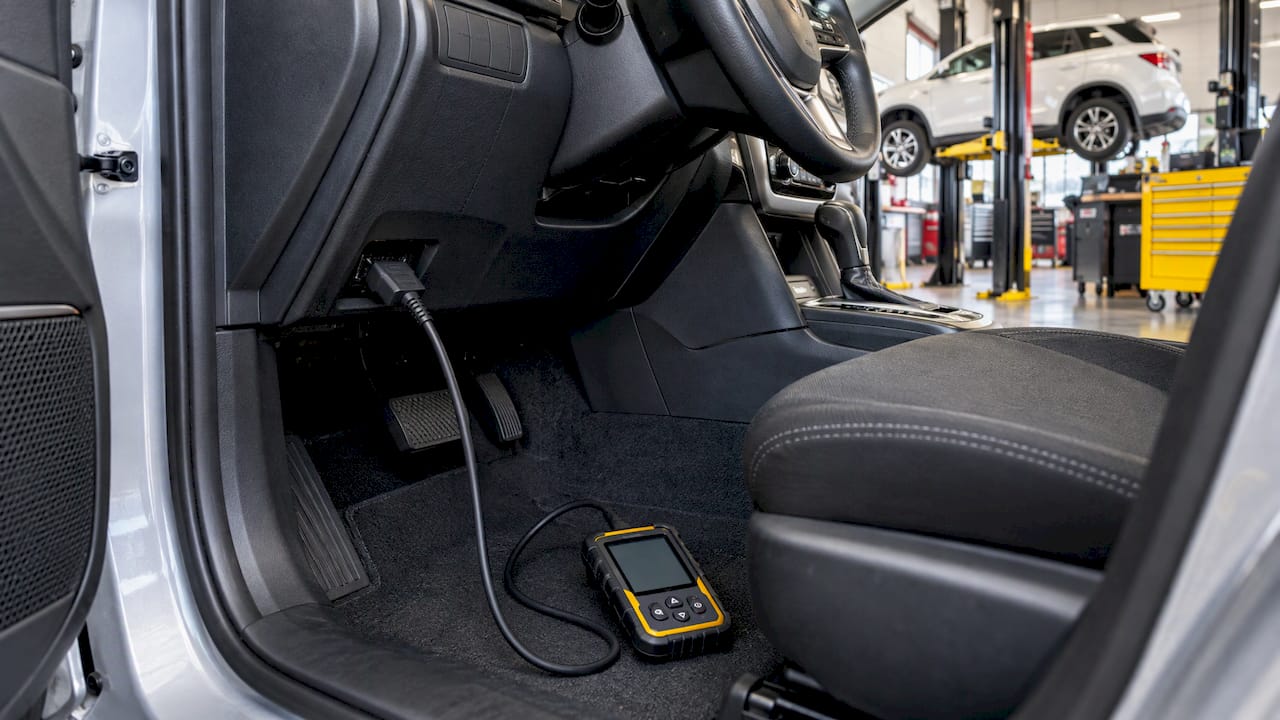
OBD readiness monitors are self-tests your vehicle’s computer runs on its emissions systems. A monitor shows “ready” once the test has finished and “not ready” when it has not. Most of the time, a few days of normal city and highway driving will finish them. If they stay unset after a week or two, something may be preventing a test from running, and that is the time to have a technician look.
We see this most often after a battery replacement or a repair where codes were cleared. Here is how monitors work, why they reset, a safe way to set them, and when to bring the vehicle to Kwik Kar of Celina in Celina, TX.
TL;DR
- A readiness monitor is a computer routine, not a part. It reports whether a specific emissions system has been tested since the memory was last cleared.
- “Not ready” does not mean your car is broken. It usually follows a battery disconnect, a battery replacement, or cleared codes.
- Most vehicles complete their monitors after a few days of varied driving. Diesels and some older systems can take longer.
- A drive cycle can speed things up. Use your manufacturer’s procedure first, and always follow traffic laws.
- If a monitor will not set after a week or two of normal driving, have the vehicle diagnosed. An underlying fault may be stopping the test.
Table of Contents
- What are OBD-II readiness monitors?
- What is the difference between “ready” and “not ready”?
- Why are my readiness monitors not ready?
- How long do monitors take to become ready?
- How do I set readiness monitors with a drive cycle?
- How do I get the EVAP monitor ready?
- Can a monitor stay “not ready” because something is wrong?
- What if my monitors will not set or I fail an emissions test?
- What does this mean for Texas inspections and Collin County emissions?
- How can I avoid resetting monitors by accident?
- Our perspective
- Need help with monitors or a check engine light?
- FAQ
- Sources
What are OBD-II readiness monitors?
An OBD-II readiness monitor is a computer routine, not a physical device. According to the Arizona Department of Environmental Quality, it determines whether an emissions system is ready to be tested under the required operating conditions.
The same fact sheet describes two groups:
- Continuous monitors (three): misfire, fuel trim, and comprehensive components. These run all the time while you drive.
- Non-continuous monitors (up to eight): systems such as the catalyst, EGR, EVAP, oxygen sensors, and secondary air where the vehicle has it. These run only when specific conditions are met.
Each vehicle reports only the monitors it supports, so your list may be shorter than someone else’s. Ohio EPA notes that vehicles perform up to 11 diagnostic checks on the engine, transmission, fuel system, and other emissions controls while being driven.
What is the difference between “ready” and “not ready”?
The Texas Department of Public Safety explains that “Ready” means the system has been evaluated, while “Not Ready” means it has not yet been evaluated. That is separate from a diagnostic trouble code (DTC).
Here is why it matters. A monitor that is not ready has not produced a result yet. The U.S. EPA’s technical assessment makes the point that a “not ready” status does not prove the subsystem is fault-free. No code with an unfinished monitor simply means no verdict.
Think of it as a checklist:
| Status | What it means | What it does not mean |
|---|---|---|
| Ready | The test ran and results are available | Not a guarantee every part is perfect, only that the check finished |
| Not ready | The test has not finished since memory was last cleared | Not proof of a failure |
| Check engine light on | A fault has been detected | Not proof a specific part must be replaced |
Why are my readiness monitors not ready?
The most common reason is that the computer’s memory was recently reset. Texas DPS says disconnecting the battery is the most common cause, including after tune-ups, engine repairs, a dead-battery replacement, or a radio or alarm installation.
The NY DMV lists several causes: battery disconnection or replacement, codes cleared during repairs, a software update, or a pending problem that has not yet turned on the check engine light.
Missouri’s Gateway Vehicle Inspection Program adds a few more:
- Power or grounding problems
- Operating-temperature requirements that were never met
- Aftermarket systems that were installed improperly
- A computer software update
New York’s inspection program also notes that disconnected sensors can prevent monitors from running, and that a fault which keeps getting erased may keep a monitor from completing.
A few patterns we see in everyday driving around Celina:
- Short trips only. Many monitors need a warm engine and a mix of speeds. If you only run to the store and back, some tests never get their conditions.
- A recently replaced battery. The memory resets, and every non-continuous monitor starts over.
- A vehicle that sits. Weekend cars and second vehicles may not see enough varied driving.
- Codes cleared after a repair. Clearing codes also clears monitor status, which is normal.
How long do monitors take to become ready?
For most gasoline vehicles, a few days. Colorado’s health department says that in most cases a few days of normal city and highway driving will reset readiness, though no procedure is guaranteed to work for every vehicle. Wisconsin’s inspection program suggests driving normally for about a week and getting qualified help if a recent battery change does not explain the problem.
Times vary by vehicle and by monitor. The EPA reports that 1996 to 2000 systems typically take longer, and that the EVAP monitor usually becomes ready later than the oxygen sensor monitor because its enabling conditions occur less often.
Diesels are a different story. The EPA says gasoline systems may typically run all monitors within about two weeks, while diesel systems can take eight weeks or more because some monitors depend on particulate-filter regeneration.
How do I set readiness monitors with a drive cycle?
A monitor reports ready only after its programmed operating conditions are met. A drive cycle is a driving pattern designed to meet them on purpose.
Start with your manufacturer’s procedure
The vehicle-specific drive cycle depends on the make, the model, and the monitor that needs setting. The NY DMV says to use the manufacturer’s instructions when they are available and to treat a generic cycle as the fallback. Your owner’s manual or a dealership service department is the place to ask. We cannot give a model-specific cycle without knowing your exact vehicle, so treat any procedure you find online as a starting point.
A generic drive cycle
The NY DMV describes a generic cycle like this:
- Begin with a cold start, meaning the engine has not run for several hours.
- Idle in Drive for about 2.5 minutes with the A/C and rear defroster on, if equipped.
- Drive at a steady 55 mph.
- Let the vehicle coast without braking hard.
- Drive again at 55 to 60 mph.
New Jersey’s MVC uses a different generic approach. It calls for fuel between one-quarter and three-quarters of a tank, an overnight or at least eight-hour soak, a warm-up, highway driving of at least 55 mph, and 20 minutes of stop-and-go driving with at least four idle periods.
Vermont suggests three separate start-and-stop trips when the exact cycle is unavailable: about three minutes of idling after a cold start, one local trip, one highway trip, and one trip after the vehicle has sat at least eight hours. It also recommends a fuel level between one-quarter and three-quarters.
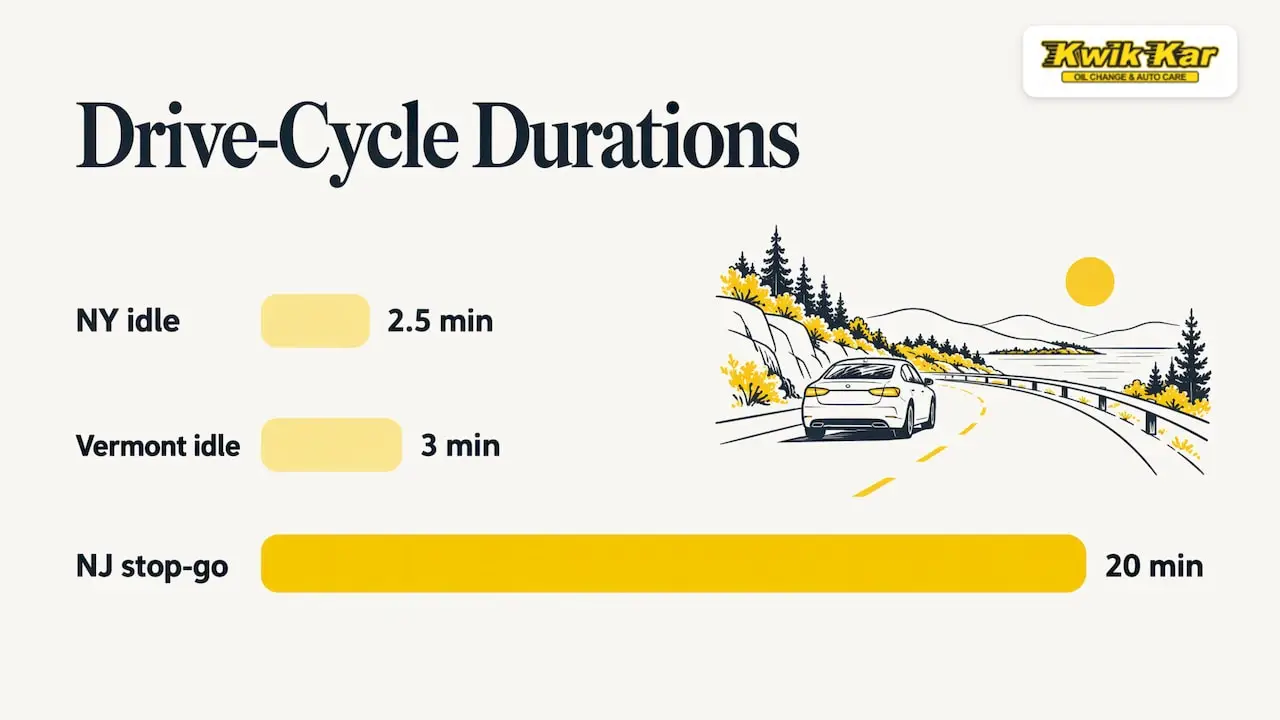
The common threads across these procedures are a cold start, a fuel level in the middle range, a mix of idling, city and highway speeds, and an overnight rest between attempts.
Drive safely while you do it
No monitor is worth a ticket or a crash. Colorado tells drivers to obey posted speed limits, traffic laws, and road conditions during any drive cycle. Wisconsin advises reading the procedure first, choosing a route that lets you complete it without creating a hazard, and bringing a passenger who can read the steps while you concentrate on driving.
If you live near Celina, that usually means picking a quiet stretch of highway for the steady-speed portion and doing the stop-and-go portion on local streets at a calm hour.
How do I get the EVAP monitor ready?
The EVAP (evaporative emissions) monitor checks the system that keeps fuel vapors from escaping the tank. It is the one drivers ask about most, because it tends to be last to finish. The EPA’s findings explain why: its enabling conditions are encountered less frequently than those for oxygen-sensor testing.
What generally helps:
- Keep the fuel level in the middle range, as the New Jersey and Vermont procedures recommend.
- Make sure the gas cap is tightened until it clicks. A loose cap is a common reason for an EVAP-related code.
- Let the vehicle sit overnight so it starts cold, then drive a mix of city and highway.
- Repeat over several days rather than expecting one drive to do it.
Exact EVAP conditions differ by manufacturer, so check your model’s procedure. If the monitor will not finish, or an EVAP code appears, a leak or a faulty component may be the reason, and it is worth a diagnostic visit.
Can a monitor stay “not ready” because something is wrong?
Yes. A monitor that never completes can mean the computer is not able to run the test. Possible causes include a sensor problem, a wiring or grounding issue, or a fault that keeps being erased. The monitor is not the problem. It is the messenger.
Some examples of where we start looking:
- Oxygen sensor and catalyst monitors that will not set may point to sensor or exhaust issues. Our guide on checking OBD II live data before replacing an oxygen sensor explains why we look at the data first. If you have a catalyst efficiency code, see our article on diagnosing a P0420 code before replacing parts.
- Exhaust leaks can skew sensor readings. Our exhaust system service covers inspection and repair.
- A pending code can exist before the check engine light comes on. That is one reason the NY DMV lists pending problems among causes of incomplete monitors.
A trouble code points us toward a system, not toward a guaranteed part. We never treat a code as proof that a particular component needs replacing. Our OBD-II diagnostic test guide explains how testing confirms the cause before any parts are swapped.
What if my monitors will not set or I fail an emissions test?
Work through it in this order:
- Check for codes. Texas DPS says if codes remain and the check engine light is commanded on, repair the malfunction before inspection.
- Clear and drive. After codes are cleared, drive through a drive cycle and verify with a generic scan tool that the monitors are ready. DPS notes that cycle information may be available from a qualified technician or dealership.
- Give it time. If they still do not reset after weeks of driving, Missouri’s program says the vehicle may need repair and should be diagnosed by a qualified emissions technician.
- Verify after repairs. California’s Bureau of Automotive Repair explains that after emissions repairs, the applicable monitor must complete through normal driving or a specified drive cycle so the computer can determine whether the malfunction was fixed.
There is a reason inspection programs care about this. The EPA treats readiness as an emissions-protection issue, and its guidance says that if any monitor is allowed to stay unready, it should be only EVAP, since it is the most difficult monitor to set. Catalyst and oxygen-sensor monitors should not be left unready. Rules differ by state and program, so follow the requirements of the one that applies to you.
What does this mean for Texas inspections and Collin County emissions?
A few facts Celina drivers should know:
- As of January 1, 2025, most noncommercial vehicles in Texas no longer require annual safety inspections.
- Qualifying vehicles in Collin County still require emissions testing. Readiness status is part of why monitors matter here: a vehicle that has just had its battery replaced or codes cleared may need some driving before it is ready to be tested.
- Commercial vehicle inspection rules differ from the noncommercial rules. If you manage a fleet, confirm which requirements apply to each vehicle.
For details on what we offer, see our TX State Inspections page. For businesses with multiple vehicles, our fleet maintenance checklist is a good starting point.
How can I avoid resetting monitors by accident?
Small habits make a difference:
- Plan around emissions testing. If your vehicle is due for emissions testing, avoid battery work or code clearing in the days right before. Allow time to drive afterward.
- Ask before disconnecting. If a shop or installer needs to disconnect the battery, expect the monitors to reset and plan for driving time.
- Do not clear codes just to turn off the light. Clearing codes erases monitor status and also erases the stored information a technician needs. The light will come back if the fault is still there.
- Mix your driving. Occasional highway trips and cold starts help monitors finish.
- Respond to the check engine light. Our seasonal guides on what to do when the check engine light comes on in the fall and in winter walk through the first steps.
Our perspective
We hear “my monitors are not ready” from drivers who did everything right. They replaced a dead battery, drove home, and found out later the computer needed time. That is normal, and in most cases patience and varied driving solve it.
What we do not like to see is a driver clearing codes over and over, or buying a part because a code popped up. A code tells you where to look. It is not a verdict. That is why we lean on testing first, including Digital Vehicle Inspections that let you see what our technicians see before you approve any work.
When monitors will not finish, we would rather find the reason than guess. Our ASE-certified technicians start with diagnostics, explain what they find in plain language, and stand behind completed repairs with our 2-year/24,000-mile warranty. If your vehicle needs a repair, finishing the job properly includes making sure the systems can complete their self-tests afterward.
Kwik Kar
Need help with monitors or a check engine light?
If your monitors stay unset or a warning light is on, our diagnostics service is where we begin. Our technicians in Celina, TX look at the data first, so you are not paying to replace parts that were never the problem. We also offer after-hours drop-off and a complimentary ride service for busy schedules. You can see everything we do on our services page.

If your vehicle is a European make, our European repair service covers those models, and for manufacturer-scheduled work see our factory scheduled maintenance page.
FAQ
Can I pass an emissions test with a monitor not ready?
That depends on the program and the monitor. Inspection rules vary, and some allow a limited number of unset monitors while others do not. The EPA’s guidance suggests that, if any is allowed, it should be only EVAP. Check the requirements for your test, and confirm your status with a scan tool before you go.
Will a drive cycle fix a monitor that is not ready because of a fault?
No. A drive cycle only gives the computer the chance to run its tests. If a sensor, wiring problem, or leak is blocking the test, the monitor will not complete, or a code will appear. In that case, have the vehicle diagnosed so the cause is found before any parts are replaced.
Does disconnecting the battery always reset the monitors?
It commonly does. Texas DPS identifies battery disconnection as the most common reason monitors show “Not Ready.” Plan for a few days of varied driving after any battery work, especially if an emissions test is coming up.
Do diesel vehicles take longer to set monitors?
Often yes. The EPA reports gasoline systems may typically finish within about two weeks, while diesels can take eight weeks or more because some monitors depend on particulate-filter regeneration. If you drive a diesel, ask a technician about the expected timeline for your specific vehicle.
Is the check engine light the same as a not-ready monitor?
No. The check engine light means a fault has been detected. A not-ready monitor means a test has not finished. You can have either, both, or neither. A scan tool shows both, and a technician can explain what they mean for your vehicle.
Sources
- Arizona Department of Environmental Quality: OBD readiness fact sheet
- Ohio EPA: OBDII readiness and communication failures
- Texas DPS: Ready or Not
- U.S. EPA: Evaluation of the Effectiveness of On-Board Diagnostic Programs
- NY DMV: What Do You Mean My Car’s Not Ready?
- Gateway Vehicle Inspection Program: Readiness Monitors
- New York Vehicle Inspection Program: Ready vs. Not Ready
- New Jersey MVC: Readiness brochure
- Vermont DEC: Vehicle readiness
- Colorado CDPHE: Make sure your vehicle is ready for an OBD inspection
- Wisconsin VIP: Are You Ready For Readiness Monitors
- U.S. EPA: Best practices for addressing OBD readiness (diesel)
- California BAR: New OBD readiness monitor regulations explained
- U.S. EPA: Improving I/M Performance and OBD Monitor Readiness