


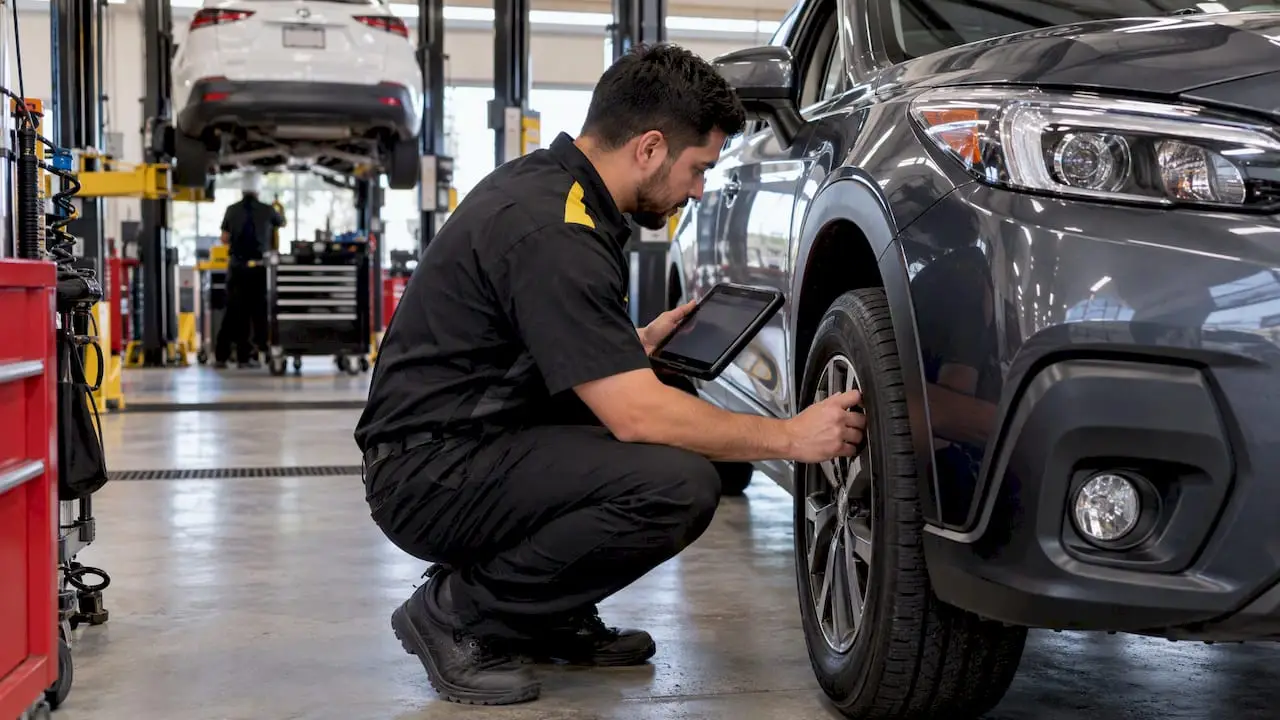
A digital vehicle inspection (DVI) is a vehicle check where the technician records findings on a tablet or phone instead of a paper sheet. The report includes photos, sometimes video, short notes and a color rating for each item. You review it on your own phone and decide what to approve. At Kwik Kar of Celina, TX, we use Digital Vehicle Inspections so you can see what we see before you spend a dollar on repairs.
This guide explains what a DVI covers, how the report works, how to read the colors, how it differs from the old paper checklist, and what to do when a finding is not a clear yes or no.
TL;DR
- A DVI replaces the paper checklist with photos, videos, notes and green, amber and red ratings that the shop shares with you digitally.
- You get a permanent record you can look at again on a later visit, which paper rarely gives you.
- Green means satisfactory, amber means keep an eye on it, red means it needs attention right away.
- A DVI is not the same as the Texas state inspection. Most noncommercial vehicles no longer need an annual safety inspection, but qualifying Collin County vehicles still need emissions testing.
- A good report explains why a repair is recommended. If it does not, ask.
Table of Contents
- What is a digital vehicle inspection?
- How does a digital vehicle inspection work?
- What does a digital inspection report include?
- How do I read the green, amber and red ratings?
- How does a digital inspection compare with a paper inspection?
- What does a technician look at during an inspection?
- Is a DVI the same as a Texas state inspection?
- How should I decide what to approve?
- Perspective: why we use Digital Vehicle Inspections
- Can Kwik Kar of Celina inspect my vehicle?
- FAQ
- Sources
What is a digital vehicle inspection?
A digital vehicle inspection is a software-driven assessment in which technicians use mobile devices or tablets to document a vehicle’s condition. Visual evidence such as photos and videos takes the place of traditional paper checklists.
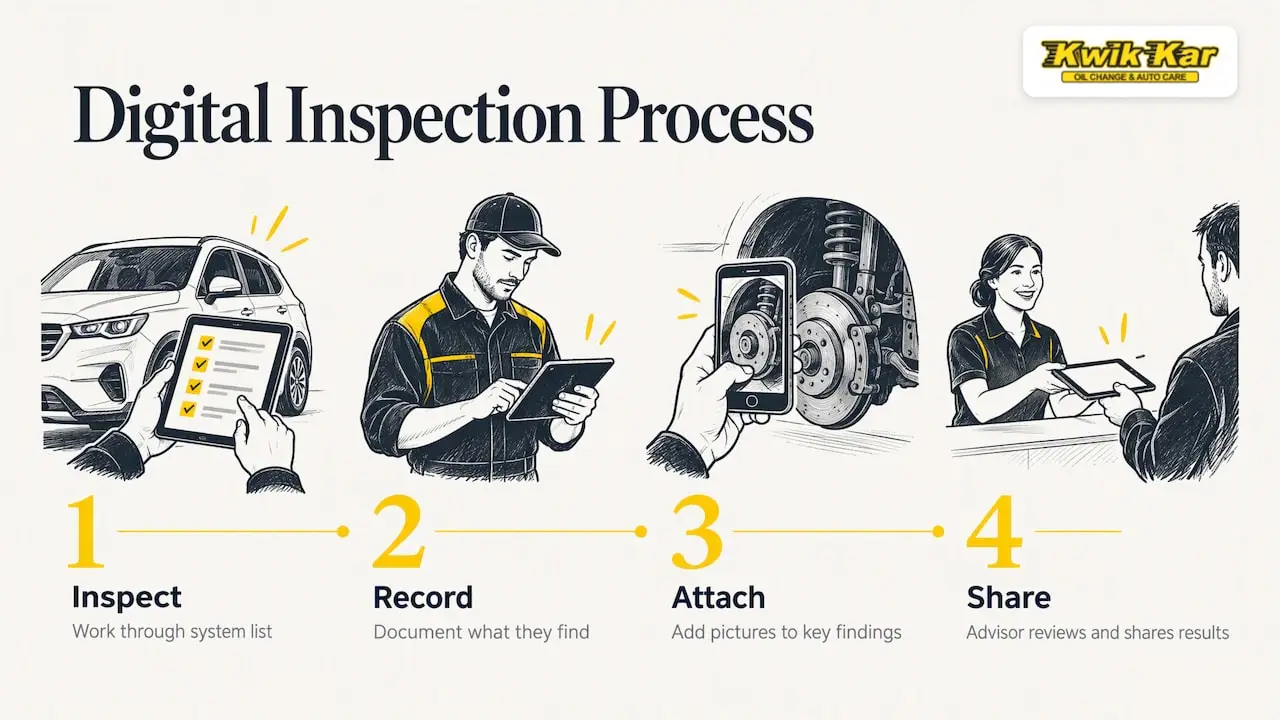
Think of it as a health report for your car. The technician works through a standard list of systems, records what they find, and attaches pictures to anything that matters. The service advisor then reviews the results and shares them with you.
A DVI is a way of documenting and communicating an inspection. It does not change what a good technician looks at. What changes is how clearly you can see it.
How does a digital vehicle inspection work?
The process is simple from the driver’s side. Behind the scenes, it generally looks like this:
- Check-in. You bring the vehicle in, or use our after-hours drop-off if your schedule is tight.
- Inspection. The technician follows a standardized digital checklist for the vehicle’s systems. They photograph or film anything noteworthy and assign a status rating.
- Review. The data flows into the shop’s management system, where the service advisor reviews it before it reaches you.
- Delivery. The completed report is sent by text or email, so you can open it on your phone.
- Decision. You go through the findings, ask questions, and approve what you want done.
In many DVI systems, customer approvals link automatically to the repair order. That cuts down on manual data entry and phone tag, which means fewer chances for a miscommunication.
What does a digital inspection report include?
A typical report has photos and videos of the inspected components, notes explaining the findings, and color-coded statuses. Here is what each part should do for you:
- Photos. Proof of the condition, such as a cracked belt, a leaking hose or worn brake pads.
- Video. Useful for things a still image cannot show, like a noise, a wobble or fluid movement.
- Notes. Plain-language explanations of what was found and why it matters.
- Status colors. A quick way to see what is urgent and what is not.
- Vehicle details. Good shops record the mileage and apply status labels consistently, so a report from one visit can be compared with the next.
Some tools also let a shop pair stock reference images with inspection photos. You can then compare what a healthy part looks like with what is in your car.
What should the notes say?
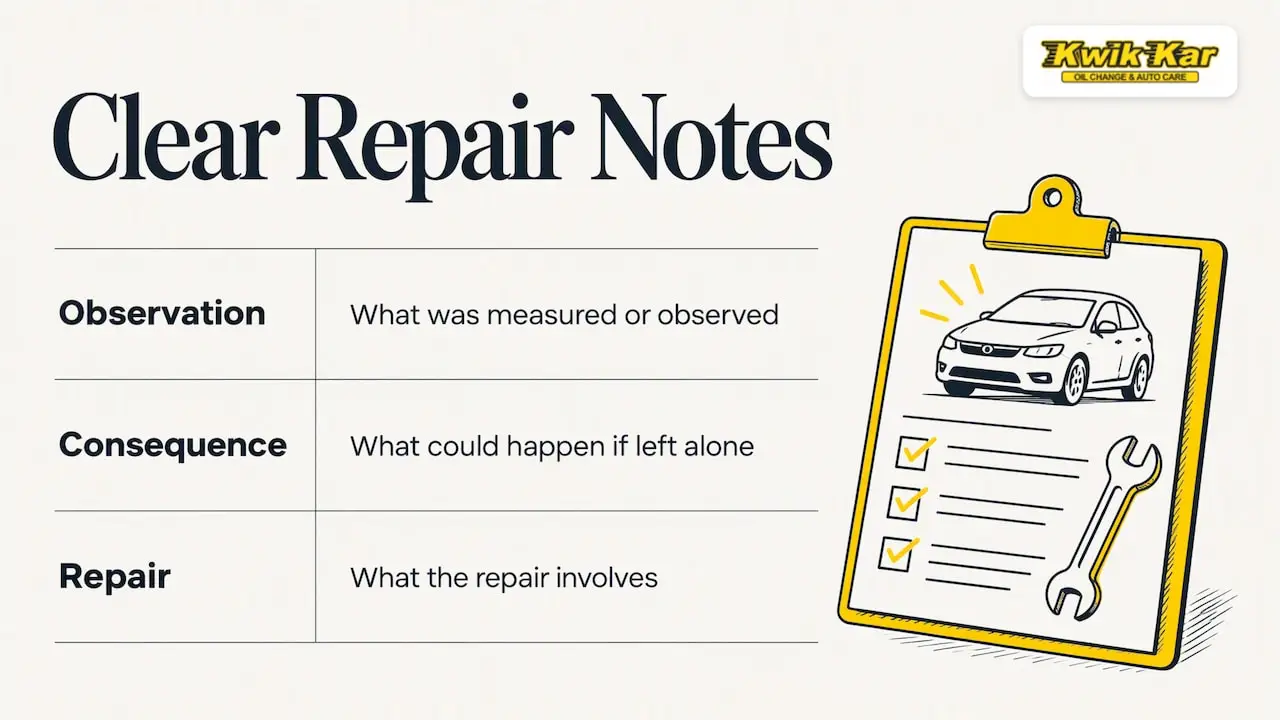
A vague note such as “replace pads/rotors” does not tell you much. Industry guidance says service advisors should give clear, customer-friendly reasons a repair is needed. When you read your report, look for what was measured or observed, what could happen if it is left alone, and what the repair involves.
If a note is thin, call and ask. A shop that stands behind its recommendations will be glad to explain.
How do I read the green, amber and red ratings?
Most inspections use a traffic-light system: green for satisfactory, amber for monitoring soon, and red for immediate attention.
| Color | What it means | What you can do |
|---|---|---|
| Green | Checked and in acceptable condition | Nothing now. Note it for the next visit. |
| Amber | Showing wear or a early warning sign | Ask how long it can safely wait and plan for it. |
| Red | Needs attention now, often for safety or to prevent further damage | Ask for the explanation and the repair options. |
A few practical points:
- Amber is a planning tool, not a pressure tactic. It lets you budget for a repair before it becomes urgent. Ask the advisor what to watch for in the meantime, such as a longer stopping distance or a rising temperature gauge.
- Red does not always mean “stop driving.” Ask whether it is a safety item, such as brakes or steering, or a reliability item that can be scheduled soon.
- Colors compare against typical wear, not perfection. Model-specific limits vary, so ask what the finding is measured against. Your owner’s manual is the place to check the manufacturer’s own service schedule.
What if the repair costs more than the car is worth?
Sometimes a run of red items on an older, high-mileage vehicle raises a bigger question: repair or move on? If you are weighing that, this breakdown of when to junk a car walks through the math and timing. Ask us for a prioritized list as well. Often the safety items come first and the rest can wait.
How does a digital inspection compare with a paper inspection?
Paper checklists are easy to lose, hard to share and impossible to verify. A digital report gives you a permanent visual record to review and refer back to on future visits.
| Paper checklist | Digital vehicle inspection | |
|---|---|---|
| Evidence | Checkmarks and handwriting | Photos, video and typed notes |
| Sharing | Handed over at the counter | Sent by text or email |
| Record | Easy to lose or misread | Stored, so you can look back later |
| Approvals | Phone call or in person | Often linked to the repair order |
| Clarity | Depends on handwriting and shorthand | Visual, with color-coded status |
Visuals also affect decisions. Trade reporting says shops that pair multi-point inspections with pictures and video see much higher approval rates than shops without them. That tracks with common sense: people approve work more readily when they can see the reason for it.
The benefit for you is not that a shop sells more. It is that you can make a decision with real information, at your own pace, without feeling put on the spot.
What does a technician look at during an inspection?
The exact checklist varies by shop and vehicle. Here are the main areas drivers commonly want checked, and the service pages where we handle follow-up work:
- Brakes. Pad thickness, rotor condition, fluid and lines. See our brake repair page and this guide to signs you need new rotors.
- Cooling system. Coolant level and condition, hoses, belts and the radiator. Texas heat is hard on all of them. Learn more about our cooling system service.
- Battery and charging. Terminals, battery condition and charging output. Our electrical and starter service covers repairs.
- Steering and suspension. Looseness, worn components and leaks.
- Fluids. Engine oil, brake fluid, transmission fluid and more.
- Tires. Tread, wear patterns and visible damage.
- Lights, wipers and visible exterior items.
- A/C. Performance and obvious problems. If it is blowing warm, our A/C symptom checklist is a good first step.
A DVI is a visual and mechanical look at your vehicle. If a warning light is on or something sounds wrong, a dedicated diagnostic is the right next step.
Is a DVI the same as a Texas state inspection?
No. A DVI is a shop’s own condition check. A state inspection is a legal requirement, and the rules changed recently.
- Safety inspections: As of January 1, 2025, the Texas Department of Public Safety says Texas no longer requires a safety inspection on noncommercial vehicles. The change comes from House Bill 3297, which abolished the program for noncommercial vehicles.
- Emissions testing: Vehicles registered in an emissions county still need an annual emissions inspection. Collin County is on the state’s list of emissions counties, so qualifying vehicles registered here still need testing.
- Commercial vehicles: Inspection rules for commercial vehicles differ from the noncommercial rules. If you manage a fleet, confirm what applies to each vehicle with DPS. Our fleet maintenance checklist can help you keep units organized.
Because the state no longer requires a safety check for most drivers, a voluntary inspection is now one of the few ways to get a full look at your car’s condition. That is where a DVI is useful. It is a choice, not a mandate.
How should I decide what to approve?
Once the report arrives, a short routine helps.
- Start with red items. Ask which are safety-related, such as brakes, steering, tires or overheating risks.
- Read the notes and look at the photos. Do they match what you have noticed while driving?
- Ask about amber items. How long can they wait? What symptoms mean they have become urgent?
- Ask for the options. Some repairs have more than one approach, and a good advisor will explain the tradeoffs.
- Keep the report. Next time, compare it with the new one to see how quickly something is wearing.
If you are unsure, it is fine to approve the safety items now and schedule the rest. The advisor’s job is to bridge the gap between the shop and the customer by presenting findings clearly. If a report leaves you with questions, that is the advisor’s cue to explain, not your cue to guess.
What about warning lights and trouble codes?
A DVI report may mention a warning light, but a trouble code alone does not prove a specific part has failed. A code points to a system or circuit that needs further testing. That is why we pair codes with proper testing, as described in our guide to an OBD-II diagnostic test, before recommending a repair.
Perspective: why we use Digital Vehicle Inspections
Most people do not walk into a shop feeling confident about what is under the hood. That is normal, and it is our job to fix that feeling, not take advantage of it.
We built our service around honest recommendations and clear communication. Digital Vehicle Inspections fit that approach because they put the evidence in your hands. You can look at a photo, read the explanation and decide with your family or your business partner. You do not have to take anyone’s word for it.
Our technicians are ASE-certified, and we pair that experience with modern tools. We still believe in the old-fashioned parts of service too: answering questions plainly, telling you what can wait, and standing behind the work with a 2-year/24,000-mile warranty.
A report is only as good as the conversation around it. If something is unclear, ask us.
— Kwik Kar
Can Kwik Kar of Celina inspect my vehicle?
Yes. Kwik Kar of Celina in Celina, TX handles routine maintenance and repairs for most vehicle types, including European vehicles. Our Digital Vehicle Inspections give you photos and clear findings, and our after-hours drop-off and complimentary ride service help if your day is full. Browse everything we do on our services page, and contact us to set up a visit.
FAQ
Is a digital inspection report the same as a car history report?
No. A digital inspection report describes your vehicle’s condition on one specific day, with photos and notes from the technician. A history report tracks past ownership, accidents and title records. A DVI helps you understand what the car needs now.
How do I get my digital inspection report?
The report is typically sent by text or email, so you can open it on your phone. Ask your service advisor how you will receive it, and have them walk you through anything you do not understand.
Do I have to approve every recommended repair?
No. The report is information, and the decision is yours. Ask which items affect safety and which can wait, then approve what makes sense for your budget and schedule. Amber items give you time to plan.
Does a DVI replace the Texas emissions test?
No. A DVI is a shop condition check and does not satisfy any state requirement. If your vehicle is registered in an emissions county such as Collin County, you still need to pass the annual emissions test when it applies to your vehicle. Check the Texas DPS inspection page for current rules.
Is a digital inspection better than a paper one?
For most drivers, yes, because photos and notes are clearer than checkmarks, and you keep a record you can review later. A paper sheet can still list the right items, but it offers little proof and is easy to lose.
Sources
- Digital Vehicle Inspections: The Complete Guide
- What are Digital Vehicle Inspections?
- Mitchell 1 adds new estimating feature, Auto Service World
- Why shops must do the research for customers, Auto Service World
- The power of clear communication, Auto Service World
- Texas DPS: Inspection criteria
- Texas DPS: Vehicle inspection program overview
- TxDMV: Vehicle inspection changes
- When to Junk a Car: The Math, the Signs and the Timing